
CourseWalk CDE - Google Play
You'll be able to see results in few seconds.
Publisher Description
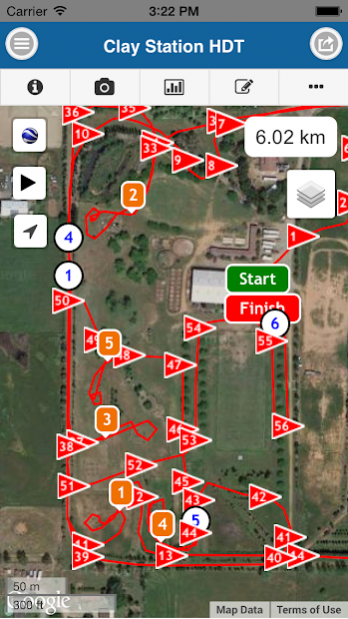
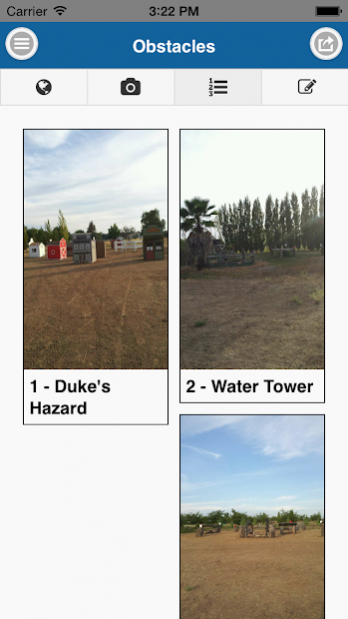
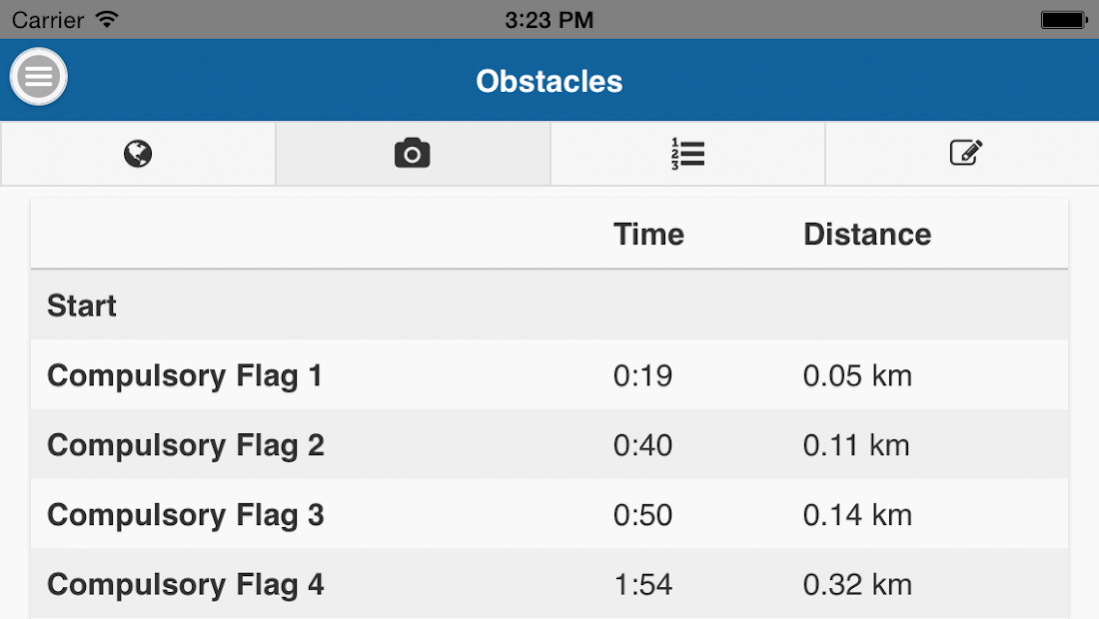
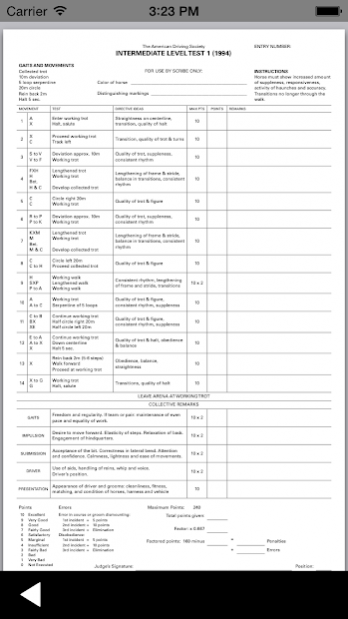
Improve your marathon phase with the CourseWalk CDE app. Designed specifically for Combined & Carriage Driving, this app is a useful tool for amateurs and professionals alike. CourseWalk CDE uses GPS technology to record and display your marathon course. This app will help you prepare for your marathon phase by:
• Recording the course track and distance in kilometers
• Mark the location of compulsory flags
• Identifying kilometer markers and improve your ability to meet optimum time
• Take photos of obstacles and gates
• Obstacle and photo galleries for easy viewing of the pictures
• Play function retraces the entire course, displaying the obstacles, gates and compulsory flags as you go
• Share your course on MyCourseWalkCDE.Com
• Download courses from MyCourseWalkCDE.Com onto your phone.
• Event Organizers can print course maps off of MyCourseWalkCDE.com
• Conveniently links to Combined Driving Dressage tests and Live Scoring
• Elevation profile displays the terrain along the course with kilometer markers, obstacles and compulsory flags
• Uphill, flat, and downhill slopes can be shown in different colors on the map
• No cellphone reception or data connection required to record and view course walks
Organizer & Course Designer Features (MyCourseWalkCDE.com):
• Print marathon and cones course maps for your shows.
• Make last minute edits to the track, compulsory flags and obstacle positions.
• Add/Edit obstacle descriptions.
• Add/Replace obstacle pictures.
• Share course maps with your competitors.
• Obstacle, compulsory flag and kilometer marker list with distances and times.
IMPORTANT: If CourseWalk CDE is unstable, please disable the "Hardware Acceleration" in the app settings.
Contact us if you have any suggestions on how to make the app better!
About CourseWalk CDE
The company that develops CourseWalk CDE is Finder Network, LLC. The latest version released by its developer is 1.0 .
To install CourseWalk CDE on your Android device, just click the green Continue To App button above to start the installation process. The app is listed on our website since 2018-07-12 and was downloaded 0 times. We have already checked if the download link is safe, however for your own protection we recommend that you scan the downloaded app with your antivirus. Your antivirus may detect the CourseWalk CDE as malware as malware if the download link to com.coursewalk.coursewalkcde is broken.
How to install CourseWalk CDE on your Android device:
- Click on the Continue To App button on our website. This will redirect you to Google Play.
- Once the CourseWalk CDE is shown in the Google Play listing of your Android device, you can start its download and installation. Tap on the Install button located below the search bar and to the right of the app icon.
- A pop-up window with the permissions required by CourseWalk CDE will be shown. Click on Accept to continue the process.
- CourseWalk CDE will be downloaded onto your device, displaying a progress. Once the download completes, the installation will start and you'll get a notification after the installation is finished.
Program Details
System requirements
Download information
Pricing
Version History
version
posted on 2018-07-12
- Added 300 m marker.
- Video can now be added to obstacles.
- Audio can now be added to obstacles.
- Various bug fixes and improvements.
version
posted on 2016-09-19
Version 2.1:,- Android 6 / Marshmallow updates,- Save obstacle pictures to gallery,- Camera improvements,- Translation updates,- General bug fixes
Disclaimer
Official Google Play Link
We do not host CourseWalk CDE on our servers. We did not scan it for viruses, adware, spyware or other type of malware. This app is hosted by Google and passed their terms and conditions to be listed there. We recommend caution when installing it.
The Google Play link for CourseWalk CDE is provided to you by apps112.com without any warranties, representations or guarantees of any kind, so access it at your own risk.
If you have questions regarding this particular app contact the publisher directly. For questions about the functionalities of apps112.com contact us.
